
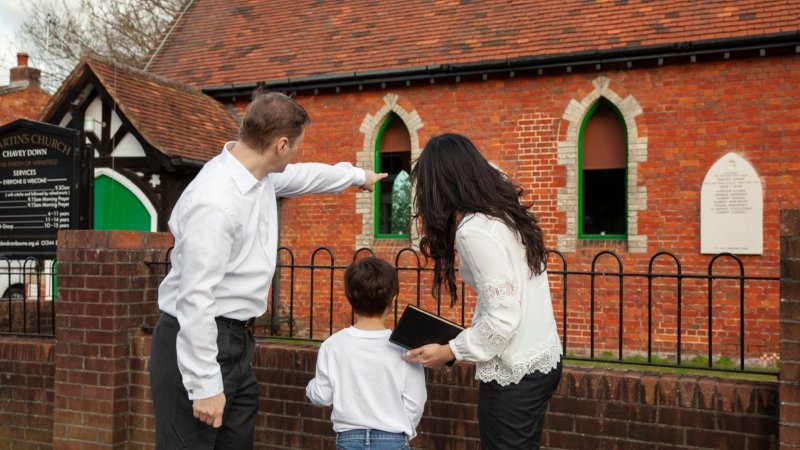
A church or community organization does not need a huge budget to protect decades of history. The smartest approach is to organize what you have, prioritize the most fragile items, digitize them in stages, store digital copies in multiple locations, and create a simple system that volunteers can maintain over time. Even a small investment today can prevent priceless records from being lost forever.
How Can Churches and Community Organizations Preserve Decades of History on a Budget?
Every church, historical society, nonprofit, veterans’ group, and community organization has a story worth saving.
Old membership records, meeting minutes, newsletters, photographs, event flyers, scrapbooks, VHS tapes, and handwritten letters capture moments that cannot be recreated.
The problem is that many organizations store these materials in basements, closets, filing cabinets, or cardboard boxes where moisture, pests, fire, and everyday handling slowly damage them.
The good news is that preserving your history does not have to cost a fortune. By creating a simple plan and using a trusted bulk photo and document scanning service, you can protect your collection without stretching your budget.
Start by figuring out what matters most
Do not try to preserve everything at once. Instead, make a quick inventory and identify the items that would be impossible to replace. Focus on materials like:
- Founding documents, charters, and incorporation papers
- Historic photographs of church services, festivals, parades, and community events
- Membership directories, baptism records, marriage registers, and funeral records
- Meeting minutes from leadership boards and committees
- Newspapers, newsletters, anniversary booklets, and event programs
- Audio recordings, VHS tapes, slides, film reels, and cassette tapes
Preserve the oldest and most fragile materials first
Older items often deteriorate the fastest. Give priority to:
- Faded photographs with visible discoloration
- Newspaper clippings that have become brittle
- Scrapbooks with loose pages or aging adhesive
- VHS tapes, cassette tapes, and film reels that require outdated equipment
- Documents showing water damage, mold, tears, or fading ink
Organize before you scan
A little preparation saves hours later. Create folders based on categories such as:
- Church leadership
- Community outreach
- Annual events
- Building projects
- Youth programs
- Choir and music ministry
- Mission trips
- Historical photographs
Use volunteers wisely
Many churches and nonprofits already have people who enjoy preserving local history. Assign volunteers to jobs such as:
- Sorting photographs by decade
- Labeling folders
- Identifying people in old pictures
- Creating simple spreadsheets
- Recording dates and event names
- Gathering missing information from longtime members
Scan once at high quality
Low-resolution scans may save money today but often create problems later. Choose archival-quality scans that allow you to:
- Print large copies in the future
- Zoom into historical photographs
- Preserve handwritten notes and signatures
- Create exhibits, books, websites, and anniversary displays
- Share files with future generations
Store digital files in more than one place
Digitizing is only half the job. Digital files also need protection. Follow a simple backup routine by keeping copies:
- On your organization’s computer
- On an external hard drive
- In secure cloud storage
- With another trusted administrator or office
Build an archive that everyone can use
Preserving history becomes much more valuable when people can actually find what they need. As you digitize organizational archives, create clear file names such as:
- 1987_Church_Picnic
- 1995_Easter_Service
- Board_Minutes_2004
- Community_Food_Drive_2012
Simple naming conventions make searching much easier for volunteers, historians, staff members, and future leaders.
Organizations that establish consistent file names and retention practices find their collections easier to maintain over time.
Make preservation an ongoing habit
You do not need to complete everything in one year. Create a realistic schedule, such as:
- Scan one photo album every month
- Digitize one year’s meeting minutes every quarter
- Convert a box of VHS tapes each summer
- Back up digital files every month
- Review new historical materials once a year
Small projects completed consistently are often more successful than one overwhelming effort.
Final thoughts
Your church or community organization has spent years building memories that deserve to last. Waiting another five or ten years may mean losing photographs, documents, recordings, and stories that can never be replaced.
Fortunately, preserving history does not require a massive budget.
By organizing your collection, prioritizing fragile materials, using professional scanning when needed, backing up your files, and creating a manageable preservation plan, you can protect your organization’s legacy for future generations.
Every document, photograph, recording, and handwritten note you preserve today becomes part of tomorrow’s history.